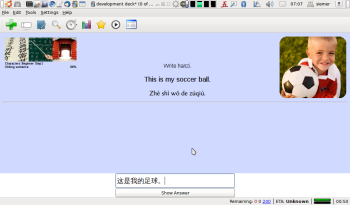
“Panki Chinese” is the combination of great Chinese study material with a decent program to study and repeat such material. It is recommended for daily use by students with at least a basic level of oral Chinese and is especially useful for learning Chinese characters. It contains in detail:
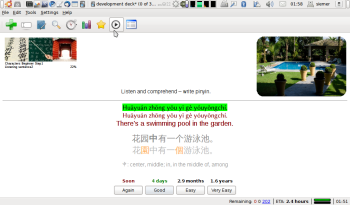
The PankiChinese plugin has some side-effects within Anki. I hope it will get integrated into original Anki one day, so that this problem would go. – So, when you are not reviewing the Panki Chinese deck, switch the plugin “PankiChinese” off (Settings menu) and restart. This turns Anki back to normal, with all standard functionality. (Otherwise, latex, part of the card browser and media handling wont work.)
The other plugins from the package can stay on and won’t interfere.
I made more hacks to Anki to meet my and Panki users’ needs even better. I do those hacks in Python, the source language of Anki. – Unfortunately it is not easy to provide those changes as a plugin. Likewise I don’t have a way to pack hacked Anki for Windows (if you can help me here, speak up).
This patch for Anki 1.2.8 was developed for use with the Panki Chinese Deck. To use it, you should be able to install and run Python Anki 1.2.8 and know how to apply patches. The modifications do the following (in order of appereance in the patch file):
| file/function/location | feature/advantages/caevats |
|---|---|
| ankiqt.run() | reminder to myself: disable the cProfile.run('ankiqt.run()', file) |
| actionRepeatAudio | shortcut set from F5 to F3 |
| actionSuspendCard | shortcut set from Ctrl+Shift+S to simply 0 (quick!) |
| tag handling | ripped out wherever it came across |
| clearOldFact() | superfluous code removed |
| rebuildCSS() | gone for good (and not called all the time!), CSS is an external file, comming with the Panki deck |
| rebuildSortIndex() | no indices anymore! Takes time to build, rebuild and maintain. For “just” flashcards: no gain. |
| deck.reset() | Gone! A big time waster. Called way too often, did way too much and was not neccessary, obviously. |
| clayout.py | card “cache” bloat gone |
| main.py | snappy GUI with single card prefetching |
| setupErrorHandler() | disabled; I want the tracebacks on the console |
| main.py | What is state “auto”? Strange name. Renamed to “reload”. That state is close to "initial": removed code repetition. |
| main.py | My new scheduler has no “learn more”/“early review”. When you’re done with 38.000 cards, you know! |
| main.py/deck.py | No leech handling code anymore. If something comes up too often and you don’t like it: suspend (shortcut “0”). If you do like it: schedule it further away (button 2, 3, 4), despite not knowing it (yet). |
| main.py/deck.py | Priorities ripped out. |
| moveToState() | right-click reload does not trigger card refetch any more. |
| moveToState() | No “timeboxing” (automatic review-stop after x minutes or cards) any more. |
| currentCard.startTimer() | now in main.py, but time taking should not be done in cards.py anyway... |
| deck.py:newCount(), revCount(), failedCount() | those are a function now, because they work a little |
| DB code (where I touched it) | ...do it the sqlalchemy way: simpler code,
less clutter. Example: isEmpty(self): return not self.s.query(Card).first() youngCardCount(self): return self.s.query(Card).filter(Card.interval < MATURE_THRESHOLD).filter(Card.reps != 0).count() |
| deck._dailyStats | Hello? Do we have an underscore here? If you want those statistics, get them yourself! |
| main.py:refreshBrowserDecks() | at least print a stack trace of those silently eaten exceptions of all kind. |
| main.py:doLater() | Removed. This is exactly what QTimer.singleShot() does |
| unused code here and there | removed |
| deck.py | removed all data doubling/“caching” and it’s cumbersome maintenance |
| audio | change is also in Panki plugin: audio does not hang over into the next card. Played correctly for question or answer and does not replay by itself. Replay via button or shortcut F3 is done immediately. |
| status.py:redraw() | Code cleanup! Look at it. I call that art! :-) |
| view.py | Also in Panki plugin: removed cumbersome HTML mangling. |
| view.py:drawAnswer() | normalize input to Unicode NFC before comparing |
| genFuzz() | I streamlined a bunch of two-lines-used-once functions, but this one wasn’t even used... |
| htmlAnswer()/htmlQuestion() | Most of it is part of the Pank plugin.
I made one function out of it “questionanswer()”, which does:
get the card template, get the card fields,
put the fields in the card (“render()”). Done! And look at this pearl here: self.fact.fieldsDict.copy() to get the fields. – So much nicer then that ugly original multiline construct to get them. And all that done with two lines of sqlalchemy configuration including r/w support! (I would call it “fact.fields” of course, but that name was taken.) |
| deck.py:cardType()/ card.py:state() | move to where it belongs... |
| scheduler | Removed a lot of scheduler code mixed into deck.py. My
simple new scheduler is in schedulers.py. The original getCard() is now passed
to the scheduler, and the ~50 lines answerCard() is reduced to well-arranged 10 lines
including a call to updateAnsweredCard() in the scheduler The scheduler is responsible of it’s own management, finding the next card and rescheduling answered cards. Nothing else. The new scheduler takes a constant mix of 20% new cards and 80% review (when available). Failed cards are not rescheduled, but their statistics and scheduling householding is updated. To avoid them popping up directly again, a FIFO of the last 20 seen facts is consulted. This simple FIFO mechanism also solves sibling spacing with no extra efforts. |
| progressHandler | That handler was called way too often. Instead of globally registering it, it should only be registered in those cases where long DB work is expected. – As I don’t have long DB work, I disabled it. |
| deck.py | sessionmaker() is now called with expire_on_commit=False. That was a speed boost. As Anki tries hard to keep the DB under it’s control (locked), there is nobody who could possibly have changed the DB behind Anki’s back. So after a commit(), in a new transaction, we get no new data, so there is no need to reread from the DB (no need to expunge). |
| upgrade code | Definitively the wrong place in deck.py. But as the Panki deck is up-to-date, no need to have that code. Removed. |
| deck.py | I have definitively overdone myself here removing code: if Panki doesn’t need it, and I considered those parts at the wrong place or doing it the wrong way, I removed it. |
| _attach() | One of those called-once functions with smaller footprint if inlined. Anki used sessionmaker() with autoflush=False and autocommit=True here, but then in db.py it started a transaction immediately. – If I always want a transaction going: just use autocommit=False! ... and we get the possibility for autoflush=True back. By the way, both are default in sqlalchemy these days... |
| facts.py:__get/setitem__() | With the help of the association_proxy and the collection_class from sqlalchemy, setitem turn into: self.fieldsDict[key] = value. Very nice. |
| loadPanki=False | you still need the Panki Plugins with this patch, but the “main” Panki plugin is already incorporated here and needs instructions to not “patch from inside”. |
| MplayerReader | Completely superfluous: putting effort into reading the output of mplayer in order to discard it? Pipe it directly to /dev/null instead. |
| sound.py | some restructuring |
| stats.py | globalStats(), dailyStats()... almost did the same |